


How to Check PF Status: A No-Nonsense Guide to Tracking Your Retirement Savings
Your Guide to Checking EPF Balance and PF Status

You work hard. Every month, a chunk of your salary vanishes before it even hits your bank account. That’s your Employee Provident Fund (EPF)—your "future self" fund.
But here’s the thing: out of sight shouldn't mean out of mind. Checking your PF status isn’t just about watching a number grow. It’s about ensuring your employer is actually depositing their share and making sure your safety net doesn't have any holes.
Why Your PF Balance is More Than Just a Number
Think of your PF account as a mandatory, high-interest savings jar. It’s the invisible backbone of your retirement. If you aren't checking it, you’re flying blind.
- Interest Credits: Is the interest being credited annually?
- UAN Activation: Is your Universal Account Number (UAN) active and linked?
- Emergency Readiness: If you wait until you need the money for a home down payment or a medical emergency to find a glitch, you’re in for a massive headache.
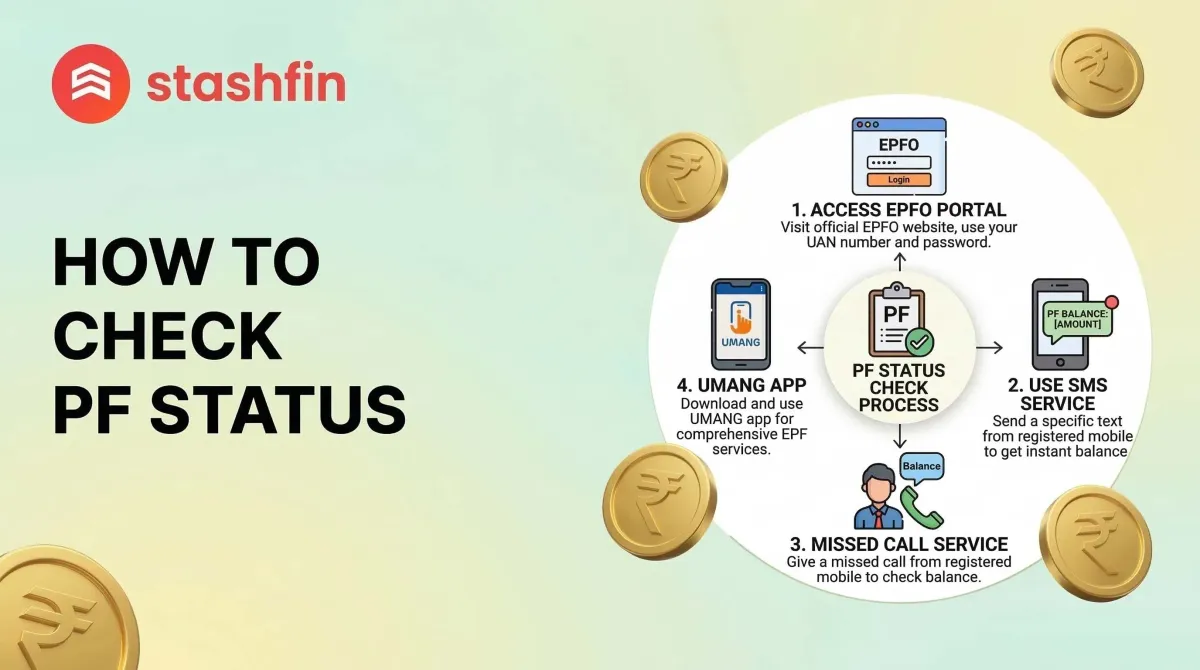
The Fastest Way: Checking PF Status via Missed Call
You don’t need a high-speed internet connection or a laptop for this "low-tech" hero. If your UAN is integrated with your KYC details, you can get balance details with a simple missed call.
The Steps:
- Give a missed call to 011-22901406 from your registered mobile number.
- The call will automatically disconnect after two rings.
- Wait for the "ping": You’ll receive an SMS with your latest contribution and total balance.
It’s fast, free, and perfect for a quick check while standing in line for coffee.
The SMS Route: For When Data is Spotty
Similar to the missed call, the SMS service is a lifesaver, especially if you want details in a specific language.
How to do it: Send an SMS to 7738299899. The format is: EPFOHO UAN <LANG>.
| Language | Code |
|---|---|
| English | ENG |
| Hindi | HIN |
| Punjabi | PUN |
| Gujarati | GUJ |
Note: The system supports ten different Indian languages, making the data feel much more accessible.
The Heavy Lifter: The EPFO Portal
When you need the full picture—the "passbook" view—head to the official EPFO website. This is where you see the month-on-month breakdown.
Navigating the UAN Portal
The portal can feel a bit like a maze, but here is the workflow:
- Log in: Go to the EPFO Unified Portal.
- Credentials: Enter your 12-digit UAN and password.
- The View: Navigate to ‘View’ and then ‘Passbook.’
Pro-tip: You usually need to wait 6 hours after registering or changing your password before you can view your passbook. Don’t panic if it doesn’t work instantly.
Using the UMANG App: PF on the Go
The UMANG app is the best bet for smartphone users. It is an all-in-one platform for government services and is generally more stable than the mobile web version.
- Real-time Tracking: Use the "Employee Centric Services" to track claim status.
- Progress Monitoring: If you’ve applied for a withdrawal, you can watch the progress bar move here.
What Does "Claim Status" Actually Mean?
If you’ve applied to withdraw or transfer your PF, here is a quick decoder for the statuses you might see:
- Under Process: The paperwork is being reviewed. Be patient.
- Settled: The money has been sent. Check your bank account in 2-3 working days.
- Rejected: Usually due to a signature mismatch or an incorrect bank IFSC code.
Troubleshooting: Why Can't I See My Status?
If you encounter an error, it is usually one of these three culprits:
- KYC Not Updated: If Aadhaar or PAN isn't linked, the portal may lock certain views.
- UAN Not Allotted: New employees might still be in the processing phase with their employer.
- Server Downtime: EPFO servers often experience heavy traffic during peak hours. Try again after 10 PM.
Final Thoughts: Make it a Habit
Checking your PF status shouldn't be a once-a-year event. Set a calendar reminder for every quarter. Verify that your employer is paying their share and that your details are correct. It’s your money—take ownership of it.


