


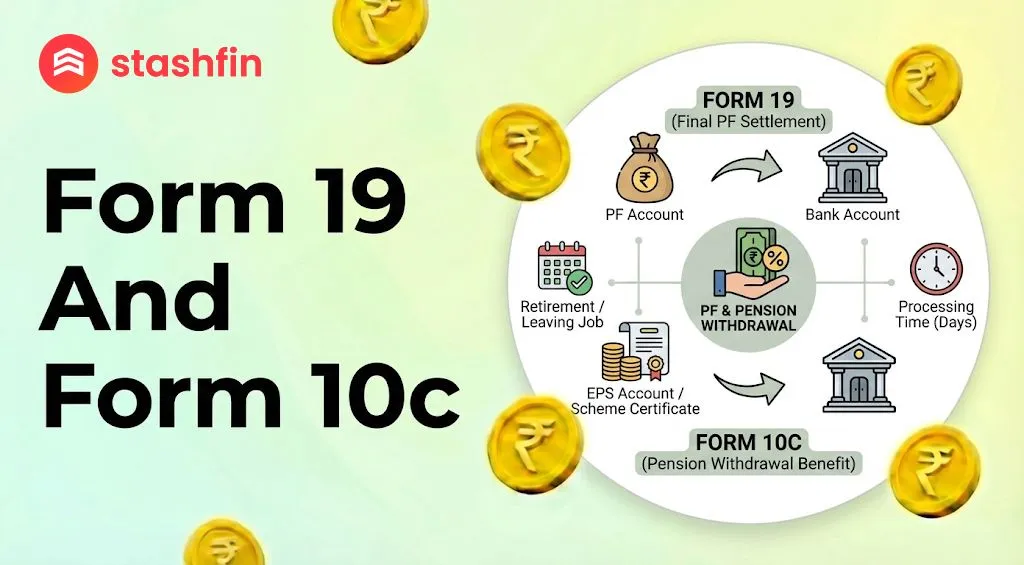
Form 19 and Form 10C: Get Your PF Money Easily
If you have left your job and want to take out your saved money, you are in the right place. To get your full money back, you need to know about Form 19 and Form 10C. This guide explains everything in very simple words.

What are Form 19 and Form 10C?
When you work, a small part of your salary goes into two different "pockets" kept by the government (EPFO). One pocket is for your savings, and the other is for your pension.
Form 19: Your PF Savings
This form is for the Employees' Provident Fund (EPF). Think of this as your main savings account.
- This pocket has money from both you and your boss.
- You use Form 19 to take all this money out at once when you leave a job.
Form 10C: Your Pension Money
This form is for the Employees' Pension Scheme (EPS). This is the second pocket.
- Your boss puts money here for your old age.
- If you have worked for less than 10 years, you use Form 10C to take this cash out.
When Can You Use These Forms?
You cannot just take the money out at any time. There are a few simple rules:
1. The 2-Month Rule
You must wait for 2 months (60 days) after leaving your job before you apply. This rule is for people who are currently sitting at home and do not have a new job.
2. Why Your "Date of Exit" Matters
Your old boss must mark your "Date of Exit" on the PF website. If they do not do this, the system will think you are still working there. You can also update this date yourself on the portal if it has been 2 months since you left.
3. The 10-Year Rule
- Less than 10 years of work: You can use Form 10C to get your pension money in cash.
- More than 10 years of work: You cannot take the pension money as cash. The government keeps it to give you a monthly pension when you turn 58. Instead of cash, you get a "Scheme Certificate."
Steps to Apply Online (2026 Process)
In 2026, the process is very fast. You do not need to visit any office; you can do it from your phone or computer.
- Login: Go to the EPFO Unified Portal. Use your UAN (12-digit number) and password to sign in.
- Check KYC: Make sure your Aadhaar, PAN, and Bank Account are linked. This is very important.
- Online Services: Click on the tab that says "Online Services" and pick "Claim (Form-31, 19, 10C & 10D)".
- Verify Bank: Type the last 4 digits of your bank account number and click 'Verify'.
- Apply for Claim: Click on "Proceed for Online Claim".
- Select Form 19: Under the "I want to apply for" section, choose "Only PF Withdrawal (Form-19)". Fill in your address and upload a photo of your cheque.
- Submit with OTP: Get the OTP on your mobile (linked to Aadhaar), type it in, and submit.
- Repeat for Form 10C: Go back and do the same thing, but this time choose "Only Pension Withdrawal (Form-10C)".
Note: Always fill Form 19 first and then Form 10C.
What Documents Do You Need?
Keep these things ready before you start:
- UAN Number: Your 12-digit ID.
- Aadhaar Card: Must be linked to your mobile phone.
- Bank Account: Use an account where your name is printed correctly.
- Cancelled Cheque: You need to upload a clear photo of your bank cheque or passbook.
- PAN Card: If your PF money is more than ₹50,000 and you worked for less than 5 years, PAN is a must to save on tax.
Important Tips to Remember
- Wait for 2 Months: If you apply too early, your request will be rejected.
- Check the Spelling: Your name on the PF portal and your Bank Account must be exactly the same.
- Form 15G: If you are withdrawing a large amount (above ₹50,000) and your total service is less than 5 years, upload Form 15G. This helps you avoid paying extra tax (TDS).
- One by One: You must submit Form 19 and Form 10C one after the other. Do not forget the pension part!


