


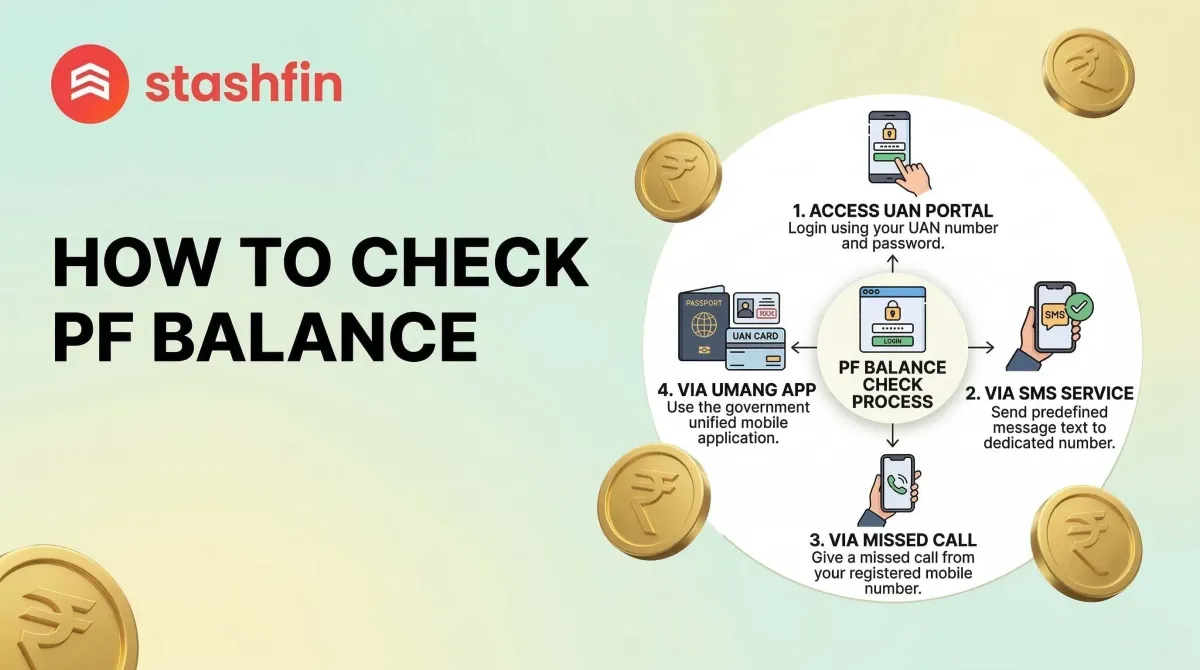
How to Check Your PF Balance: A Complete Step-by-Step Guide
Your Provident Fund (PF) is a critical savings tool for your retirement. Every month, a portion of your salary is deposited into this fund, matched by a contribution from your employer.

1. Introduction: Why Check Your PF Balance?
Your PF is more than just a deduction; it is your financial safety net. Checking it regularly ensures:
- Employer Compliance: Verify that your company is depositing your funds monthly.
- Interest Tracking: Monitor the interest earned on your total savings.
- Financial Planning: Use your balance to plan for milestones like buying a home.
- Data Accuracy: Ensure your personal details and UAN information are correct.
2. Prerequisites: What You Need First
Before checking your balance, you must ensure your account is set up correctly.
Activating Your UAN
The Universal Account Number (UAN) is a 12-digit number assigned to every worker.
- Find your UAN on your monthly salary slip.
- If you haven't used it, visit the official EPFO website to "Activate UAN".
- You will need your mobile phone to receive an OTP during this process.
Linking KYC (Aadhaar, PAN, Bank)
Your UAN must be linked to your Aadhaar, PAN, and Bank Account. If these are not linked, the portal may not display your balance.
3. Method 1: Using the EPFO Portal (Official Website)
This is the most detailed method as it allows you to view your full Passbook.
- Visit the Portal: Go to the official EPFO Passbook website.
- Login: Enter your UAN, Password, and solve the Captcha.
- View Balance: Click on "Download/View Passbook".
Understanding Your Passbook:
- EE Amount: Money deducted from your salary.
- ER Amount: Money contributed by your employer.
- Pension Fund: Savings reserved for your monthly pension later in life.
- Total Balance: The final sum of all contributions.
4. Method 2: The UMANG App (Mobile Easy Way)
The government’s UMANG app is a secure way to check your balance on a smartphone.
- Download the UMANG App from the Play Store or App Store.
- Register/Login and search for "EPFO".
- Click on "Employee Centric Services" > "View Passbook".
- Enter your UAN and the OTP sent to your phone to see your details.
5. Method 3: Missed Call Service (No Internet Needed)
This is the fastest method and does not require data or a smartphone.
- Official Number: Dial 9966044425 from your registered mobile number.
- Process: The call will ring and disconnect automatically. It is a free service.
- Response: You will receive an SMS with your UAN, Name, DOB, and Total Balance.
6. Method 4: SMS Service (Multi-language Support)
To receive your details in your preferred language, send an SMS to 7738299899.
Format: EPFOHO UAN <Language Code>
(Example: EPFOHO 123456789012 HIN for Hindi)
| Language | Code | Language | Code |
|---|---|---|---|
| English | (Default) | Marathi | MAR |
| Hindi | HIN | Kannada | KAN |
| Punjabi | PUN | Telugu | TEL |
| Gujarati | GUJ | Tamil | TAM |
7. Checking Balance for Private Trust Employees (Exempted)
Some large companies manage their own PF funds (Exempted Establishments).
- You cannot see your balance on the EPFO portal.
- Check your company’s internal HR portal.
- Look at your monthly salary slip for the total balance.
8. Troubleshooting: Why Can’t I See My Balance?
- Wrong Password: Use the "Forgot Password" option on the portal.
- Server Issues: The site can be slow; try during off-peak hours (early morning/late night).
- New UAN: Wait 6 hours after activation before checking your passbook.
- KYC Missing: Ensure your Aadhaar is linked to prevent access blocks.
9. Conclusion: Tips for Safety
- Privacy: Never share your UAN password with anyone.
- Avoid Scams: EPFO never charges money for withdrawals. Beware of agents claiming otherwise.
- Consistency: Check your balance monthly to stay in control of your financial future.


