


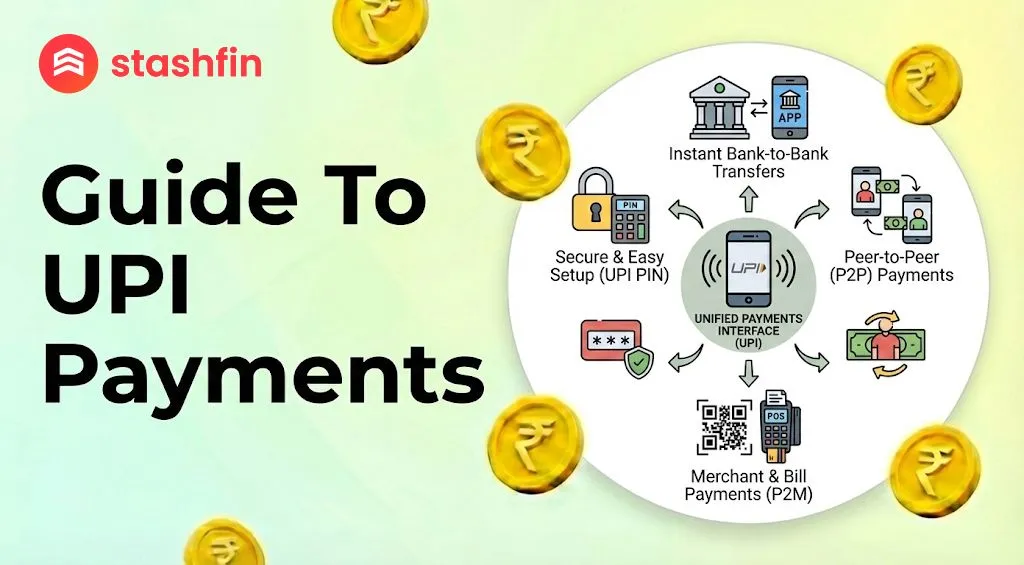
The Ultimate Guide to UPI: Pay Anyone, Anywhere in 2026
UPI stands for Unified Payments Interface. It is a system that allows you to move money from one bank account to another instantly. You do not need to remember long bank account numbers or IFSC codes; you only need a smartphone and a UPI-enabled app.

What is UPI?
UPI acts as a digital bridge between your bank account and your mobile phone. In 2026, it is the most common way to pay in India, used everywhere from high-end malls to small street-side tea stalls.
How UPI Works
UPI works through a UPI ID (also called a Virtual Payment Address or VPA). Think of this like an email address for your money (e.g., yourname@bank). When someone sends money to this ID, it lands directly in your linked bank account.
How to Set Up UPI for the First Time
Setting up UPI is a one-time process that takes only a few minutes.
Things You Need
Before you start, ensure you have:
- A smartphone with an active internet connection.
- A bank account in an Indian bank.
- Linked Mobile Number: The SIM card linked to your bank must be inside the phone you are using.
Step-by-Step Setup
- Download an App: Install Google Pay, PhonePe, Paytm, or your official bank app.
- Verify Your Number: The app will send an automated SMS to verify your identity.
- Select Your Bank: Choose your bank from the list; the app will automatically fetch your account details.
- Set a UPI PIN: Create a secret 4 or 6-digit code. Never share this PIN with anyone.
How to Send and Receive Money
1. Scanning a QR Code
This is the most popular way to pay at shops:
- Open your UPI app and tap "Scan QR."
- Point your camera at the QR code displayed at the shop.
- Enter the amount and your secret UPI PIN.
2. Using a UPI ID or Phone Number
- Choose "Pay to UPI ID" or "Pay Contact" in your app.
- Enter the ID (e.g.,
xyz@okaxis) or the mobile number. - Verify the Name: Always check the legal name displayed on the screen before hitting send.
New UPI Rules in 2026 You Should Know
The rules have been updated in 2026 to enhance security and convenience:
- Two-Factor Authentication: For high-value transactions, the app may require a fingerprint or face scan in addition to your PIN.
- Credit on UPI: You can now link your Credit Card to UPI. This allows you to "Buy Now, Pay Later" even at small merchants by scanning their QR code.
- UPI Lite (Offline): You can now make small payments (under ₹500) instantly without an internet connection using a dedicated on-device wallet.
Is UPI Safe? (Essential Safety Tips)
UPI is highly secure if you follow these "Golden Rules":
The PIN Rule: You only enter your PIN to SEND money. You NEVER need to enter your PIN to RECEIVE money. If someone asks you to enter your PIN to get a prize or a refund, it is a scam.
- No Screen Sharing: Never use UPI while on a screen-sharing call (like Zoom or AnyDesk).
- Check the Name: Always verify the recipient's name that pops up after scanning or entering an ID.
- Official Sources: Only download UPI apps from the Google Play Store or Apple App Store.
UPI Limits at a Glance (2026)
| Feature | Limit in 2026 |
|---|---|
| Daily Money Limit | ₹1 Lakh (up to ₹5 Lakh for Hospitals/Schools) |
| Transaction Limit | 20 transfers per 24 hours |
| Balance Checks | 50 checks per day |
| Small Offline Payments | Up to ₹500 per transaction |
Conclusion: The Future of Your Wallet
In 2026, UPI is more than just a payment tool; it is your digital identity for finance. From paying for a bus ticket via "UPI Tap and Pay" to using credit at a local grocery store, it has made carrying a physical wallet optional. By staying aware of daily limits and following safety protocols, you can enjoy a seamless, cashless life.


