
















 Back
Back

How to Pay Utility Bills via UPI
Paying a utility bill used to mean either a trip to the local office or a clunky net banking bill-pay portal. UPI, largely through NPCI's Bharat Connect infrastructure, has turned this into a process that takes under a minute from your phone, and understanding the full range of options helps you never miss a due date again.


How Bharat Connect Makes This Possible
Bharat Connect, NPCI's interoperable bill payment infrastructure, connects electricity boards, water utilities, gas providers, and municipal corporations to every major UPI app through a shared, standardized system. Instead of each utility building its own separate payment integration with every app, Bharat Connect gives them one shared rail that instantly makes their billers visible and payable across the entire UPI ecosystem.
How to Actually Pay a Utility Bill Through UPI
1. Open the bill payments or recharge section of your UPI app, which typically lists Bharat Connect-enabled billers by category.
2. Search for and select your specific utility provider electricity board, water utility, or gas provider, from the list.
3. Enter your consumer or account number, which the utility uses to identify your specific connection.
4. Confirm the fetched due amount and authorize with your UPI PIN, completing the payment instantly.
Additional Read: How to Find Your Reference Number: A Complete Guide
Setting Up Automatic Payments to Never Miss a Due Date
Many UPI apps let you set up an automatic reminder or, for supporting utilities, a UPI Autopay mandate that pays your bill automatically each cycle up to a specified cap, removing the need to remember a due date manually every single month.
This same automation logic applies well to any other recurring obligation, including a credit card bill payment, though a variable amount like a card statement is often better checked manually each cycle rather than left entirely on autopay.
What to Do if Your Bill Does Not Appear or the Amount Looks Wrong
If your utility does not appear in the app's biller list, it may not yet be onboarded to Bharat Connect, in which case falling back to the utility's own website or app remains an option. If the fetched amount looks incorrect, always verify against your physical or emailed bill before paying, since a display glitch or an outdated fetch is possible, though rare.
Why This Matters More Than It Might Seem
A missed utility due date can trigger a late fee or, in more serious cases, a disconnection notice that then requires its own separate reconnection process to resolve. The convenience of a one-minute UPI payment removes most of the friction that previously caused people to genuinely miss these deadlines, particularly for bills that arrive irregularly or without a strong reminder system.
Keeping Records for Utility Payments
Save the payment confirmation and reference number for each utility bill you pay, particularly if you have ever had a dispute with a utility provider about whether a specific month was actually paid. A UPI reference number is generally the fastest, most reliable way to prove a payment cleared when a utility's own records show a discrepancy.
Why Splitting a Shared Household Bill Has Also Gotten Easier
In a shared flat or joint household, splitting a single electricity or water bill used to mean one person paying the full amount and then separately chasing down everyone else through cash or a manual transfer. With UPI, the person paying the bill can simply request the split amounts from flatmates or family members through the same app, quoting the shared bill's reference number, which keeps the whole arrangement transparent and easy to track compared to relying on memory or an informal running tally of who owes what for a given month.
Why Some Utilities Still Lag Behind on Digital Onboarding
Not every utility provider across every state has moved at the same pace onto Bharat Connect, and smaller municipal or regional utilities, particularly in less digitally connected areas, can still lag behind larger state electricity boards in offering full UPI-based bill payment. This uneven pace reflects each utility's own technical readiness and administrative priorities rather than any limitation in UPI itself, and coverage has been steadily expanding as more regional providers complete the onboarding process.
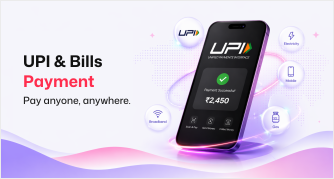
Stashfin makes bill payments simple through its Recharge and Bill Payment service, letting you pay electricity, water, gas, and a wide range of other utility bills quickly and securely, all in one place alongside your other everyday payments.
Key Takeaways
Bharat Connect, NPCI's interoperable bill payment infrastructure, is what lets utilities appear and be paid across virtually every UPI app.
Paying a utility bill through UPI typically takes under a minute: select the biller, enter your consumer number, and confirm the fetched amount.
UPI Autopay can automate recurring utility payments up to a set cap, though a variable-amount bill is often safer checked manually.
If a utility does not appear in your app's biller list, it may not yet be onboarded to Bharat Connect, and the utility's own website remains a fallback.
Keeping payment confirmations and reference numbers protects you if a utility's own records ever show a payment discrepancy.

